At a glance
What it does
A desktop, iOS, and Android control plane for agent sessions across DeepSeek Harness hosts.
Before you choose it
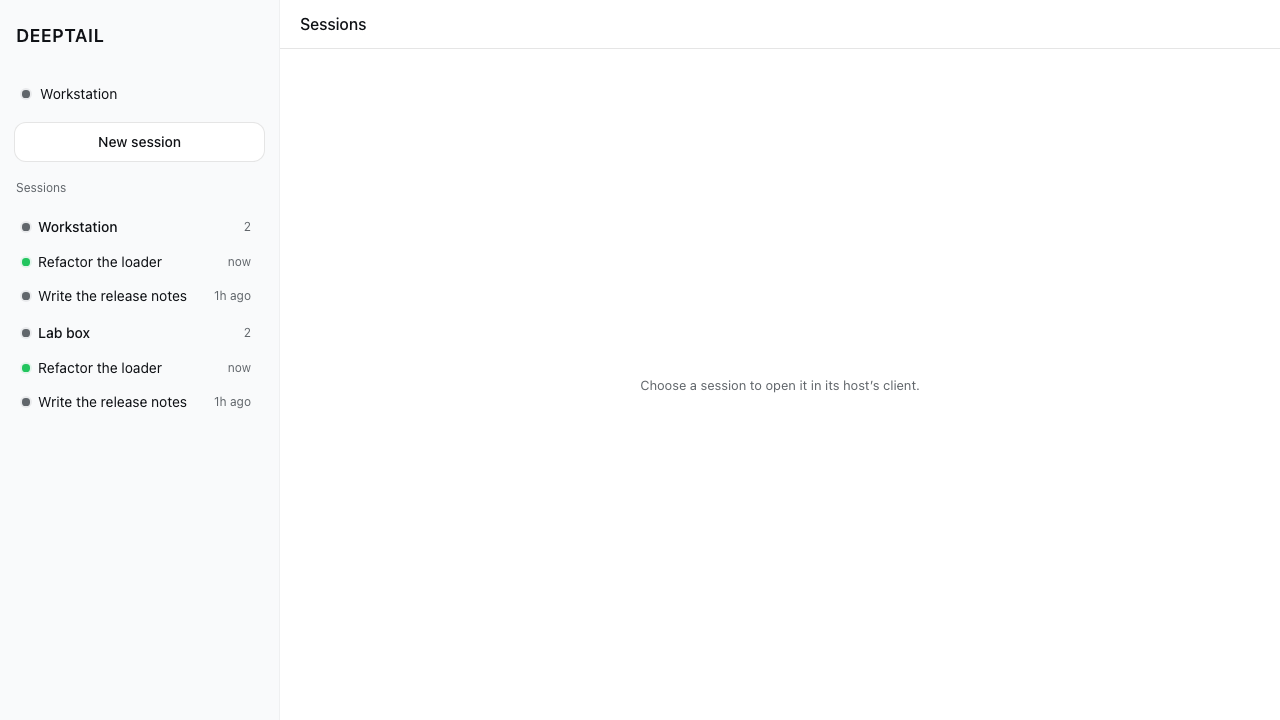
DeepTail aggregates sessions from paired DeepSeek Harness hosts into one live roster. It can pair or switch hosts, discover machines through Tailscale, start sessions from agent presets, send or steer messages, and stop a running turn. Opening a conversation hands off to that host’s Harness client rather than displaying its transcript in DeepTail.
Best for
People operating agent sessions on multiple DeepSeek Harness hosts, especially across a Tailscale network.
Common tasks
- Monitor active sessions across several paired hosts from one roster.
- Discover Tailscale machines, then pair a selected host with its launch token.
- Spawn a session, send or steer a message, or stop an active turn.
Permissions and data
The app connects to Harness hosts and optionally Tailscale; its README describes credential handling in the Rust core rather than the webview.
Permissions- Network access to paired DeepSeek Harness hosts.
- Optional access to the Tailscale API to list tailnet devices.
- Access to the platform credential store for host tokens and Tailscale credentials.
- The README states that per-host device tokens and Tailscale credentials are stored in platform-native key stores.
- The README states that tokens remain on the Rust side and are not passed across Tauri IPC to the page.
- Host and session roster data is returned to the interface for display.
- DeepSeek Harness hosts.
- Optional Tailscale API and tailnet connectivity.
- A launch token printed by dsh web is needed to pair a Harness host.
- Tailscale discovery requires either a Tailscale API key or an OAuth client credential.
Limitations
- No packaged download artifact is supplied; the repository documents source-based setup and development commands.
- Conversation transcripts, approvals, projects, and plans remain in each host’s Harness client.
- The README says conversation reading depends on three upstream Harness changes that have not yet landed.
- The supplied evidence does not declare a supported Harness version range.
What DSHub checked
- The pinned README documents desktop, iOS, and Android targets, Harness-host control actions, Tailscale discovery, and native credential-store usage.
- The repository includes an MIT license.
What DSHub did not check
- No installation, build, test suite, network connection, or mobile deployment was executed for this curation.
- No packaged release artifact or runtime compatibility with a particular Harness version was supplied.
Pinned install
Primary action
This application does not have a DSH Plugin install action. Use its source documentation for the delivery method.
Maintainer source
Project README
DeepTail








A Tauri 2 client — desktop, iOS, and Android — that connects to DeepSeek Harness hosts and gives you one control plane over the agent sessions running on all of them.
Explain it like I'm five
You have robot helpers working on several computers at once. Each computer keeps its own list of what its helpers are doing, and to check on them you would have to walk over to every computer in turn.
DeepTail is one window that shows every list at the same time. You open it and see every helper on every computer, which ones are busy right now, and when each one last did something. You can start a new helper, tell one what to do next, or tell one to stop — without going to that computer.
When you want to read everything a helper wrote, DeepTail opens that computer's own reader, because that computer is the one holding the whole story.
Three rules it keeps:
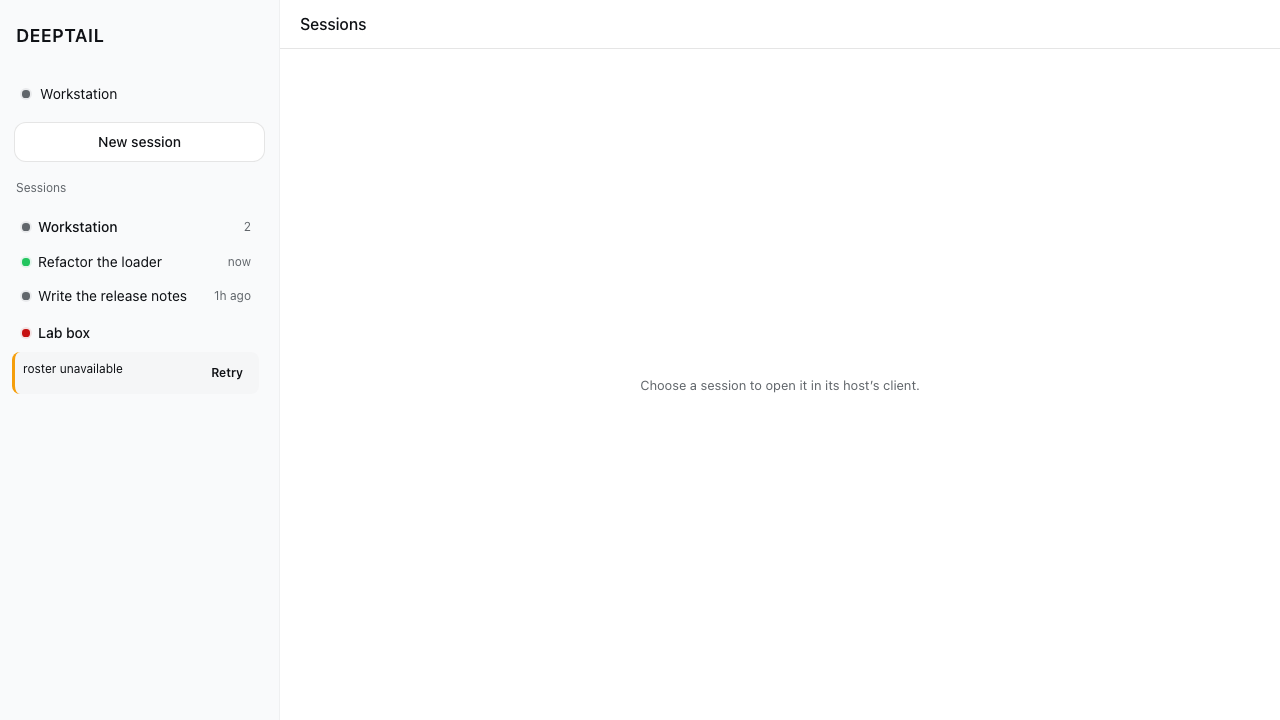
- One computer answers for itself. If one is switched off, its row says so and offers a Retry. The others keep working — one broken computer never blanks the window.
- The password never touches the page. The part you see is just drawing. A separate Rust part holds the key for each computer and does the talking.
- It can find the computers for you. If they are on your Tailscale network, DeepTail lists them by name instead of asking you to type an address.
- One scrollbar per direction. Panes do not nest inside other panes, so the wheel always moves the thing you are pointing at.
How it works
flowchart TB
  subgraph device["Your device — one DeepTail app"]
    direction LR
    ui["<b>Webview</b><br/>shell · roster · dialogs<br/>draws only, opens no socket"]
    rust["<b>Rust core</b><br/>host registry · reqwest · mux client"]
    store[("Keystore<br/>device tokens<br/>tailnet credential")]
    ui -->|"Tauri IPC"| rust
    rust -->|"reads a secret"| store
  end

  subgraph network["Reached over the network, only ever from Rust"]
    direction LR
    tailscale["<b>Tailscale API</b><br/>which machines exist"]
    hosts["<b>Every paired dsh host</b><br/>list · spawn · message · stop"]
  end

  rust -->|"lists the tailnet"| tailscale
  rust -->|"unary calls"| hosts
  hosts -.->|"roster events"| rust
  ui ==>|"open a session"| client["<b>That host's harness client</b><br/>transcripts · approvals · plans"]

  classDef inside fill:aliceblue,stroke:indigo,color:midnightblue
  classDef host fill:honeydew,stroke:seagreen,color:darkgreen
  classDef hand fill:lemonchiffon,stroke:chocolate,color:maroon
  class ui,rust,store inside
  class hosts,tailscale host
  class client hand
Two things the chart is drawn to show. Every arrow that crosses the device boundary starts at Rust, never at the webview — the solid one is the unary call DeepTail makes, the dashed one is the stream that keeps the roster current without polling, and the device token stays on the Rust side of the IPC in both. And the thick arrow is the product boundary: DeepTail owns the fleet, the harness client owns one conversation, and choosing a session is where one hands over to the other.
What it does
DeepTail is the control plane; the harness client is the reader. Everything DeepTail does is a unary call that works over its own carrier today. Reading a conversation is a stream, and that belongs to the client already built for it.
| DeepTail | The harness client |
|---|---|
| Pair, switch and unpair hosts | Transcripts and tool cards |
| Find hosts on your tailnet | |
| One roster across every paired host, live | Approvals, projects, plans |
| Spawn a session from an agent preset | Everything session-local |
| Message or steer a session | |
| Stop a running turn |
Choosing a session hands off: DeepTail boots that host's own client. It opens at the client's default view — nothing in its boot surface takes a session id — and the copy says so rather than implying a deep link it cannot deliver.
Tailscale
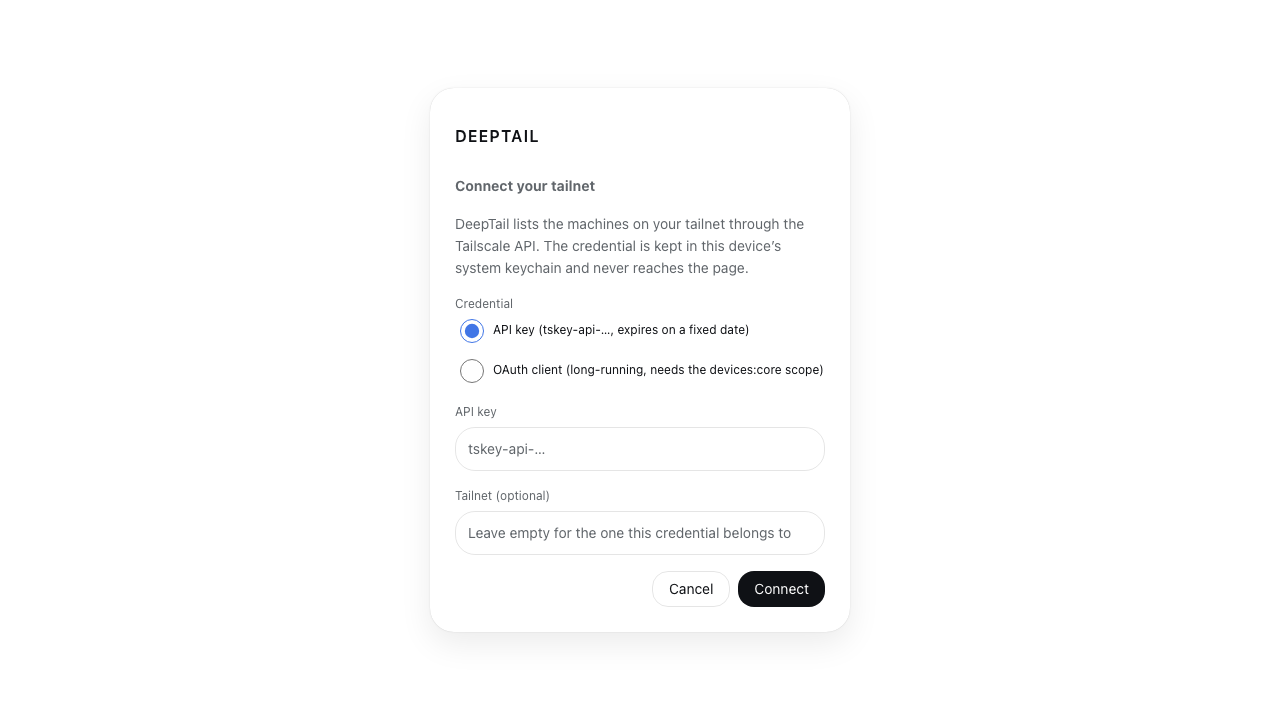
Typing a URL is not how anyone finds their own machines. DeepTail lists your tailnet through Tailscale's own API and shows which machines are already paired, so a host is chosen from a list rather than transcribed.
Both credentials Tailscale issues work, because they are not interchangeable: an
API key is one secret that expires on a
fixed date, authenticated as the username of an HTTP Basic pair; an
OAuth client is the id and secret
pair Tailscale documents for long-running integrations, exchanged at
/api/v2/oauth/token for short-lived bearers and needing the devices:core
scope. Either lists /api/v2/tailnet/{tailnet}/devices?fields=all, where the
tailnet defaults to - — the one that credential belongs to. The credential is
filed in the same platform keystore as every device token and never crosses the
IPC boundary; the page receives machines, never the key that listed them.
Listing a tailnet is not pairing. Tailscale can say which machines exist;
only dsh web can mint the launch token a harness accepts. Choosing a machine
therefore opens the pairing form for it — with the origin already fixed, so the
one thing left to supply is the token that machine printed.
Discovery is also what makes http:// admissible. A tailnet peer is reached
over WireGuard, so the packets are encrypted and peer-authenticated before the
URL scheme has any say; dsh web on a tailnet terminates no TLS and does not
need to. canonical_origin admits plaintext to a tailnet peer and to loopback
and refuses it everywhere else, reading Tailscale's own ranges — 100.64.0.0/10
minus the 100.115.92.0/23 slice ChromeOS uses for its containers,
fd7a:115c:a1e0::/48, and MagicDNS names under .ts.net.
Why the wire lives in Rust
The webview never opens a network connection. Tauri serves the page from a
secure-context origin, so it cannot open a ws:// socket at all and cannot
attach an Authorization header to a WebSocket handshake. Holding the wire in
Rust removes both limits, keeps the device token out of JavaScript, and lets the
app ship a CSP that names no host:
default-src 'self'; script-src 'self' blob:; connect-src ipc: http://ipc.localhost
Design
The UI is plain DOM — it paints before any harness bundle loads — but not a
separate design language. src/styles/tokens.css holds the harness's own
resolved --dsw-alias-* and --dsw-specific-* values and its
body[data-ds-dark-theme] mechanism; geometry follows ui-sidebar,
ui-primitives/Menu, ui-primitives/Modal and ui-workspace/rows.
No inline styles. Every visual is a class, enforced by
scripts/check-no-inline-styles.ts. It reads a parse rather than lines — oxc
for scripts, the parser oxlint uses, and parse5 for markup — so the rules are
stated about nodes and there is no spelling to get around them: the dotted
property, an indexed write, a bulk assign, destructuring, the CSS Typed OM, a
style attribute in markup written anywhere in the source, and any call that
sets an attribute or a property under that name. Names are constant-folded, so
one held in a constant, split with +, built in a template, case-shifted,
joined or spelt from character codes is read as the name it produces; a name the
gate cannot read at all is refused rather than allowed. The two calls that set an
attribute without naming it — setAttributeNode and setNamedItem — are
refused outright.
The files it reads are the files git says the repository ships, so its reach
cannot drift from a hand-written list and its count does not move with whether a
build has run. scripts/ban-gate.ts reads the same parse for idioms the project
has moved past and for directives that switch a checker off; a directive is only
ever a comment, so the comments are what it searches, and Rust is searched too.
Both gates are driven by tests/gates.spec.ts, which runs every rule against a
source that breaks it and a source that merely resembles it.
A stylesheet is not an inline style and is not banned: injections.ts builds
one because the host's boot table says to. Neither is color-scheme, a CSS
property keyed off the same body[data-ds-dark-theme] attribute as the palette,
so native UA chrome cannot drift from the theme. Beyond those, the gate has no
allowances.
A sheet's values are read against the token sheet too. scripts/sheet-gate.ts
refuses a bare length outside tokens.css — spacing, radius, type and grid
rungs — a raw colour in any spelling (a function-written or named colour, or a
hex literal), a cascade override flag, a legacy float, a bare stacking number,
a second breakpoint in a second syntax, a rule that hides the focus ring
without painting one back, and a rule set declared twice. Every value the
shipped sheets carry goes through the tokens, and tests/sheet-gate.spec.ts
drives each rule both ways.
The markup gate reads every element, whatever writes it: besides the style
attribute, an inline event handler, an inline script body and an inline style
block are each a per-page one-off that no module ships and no gate reads once
it sits inside a tag, so none may ship. The ban gate carries the same shape of
rules for idioms the project has moved past: the React 19 removals
(ReactDOM.render and its siblings, findDOMNode, string refs,
defaultProps, legacy context), the Tauri v1 API paths and the __TAURI__
global, alongside the older bans on var, require, markup-rewriting
properties, eval and the rest. tests/gates.spec.ts and
tests/style-gate.spec.ts drive both gates against a source that breaks each
rule and a source that merely resembles it.
 |
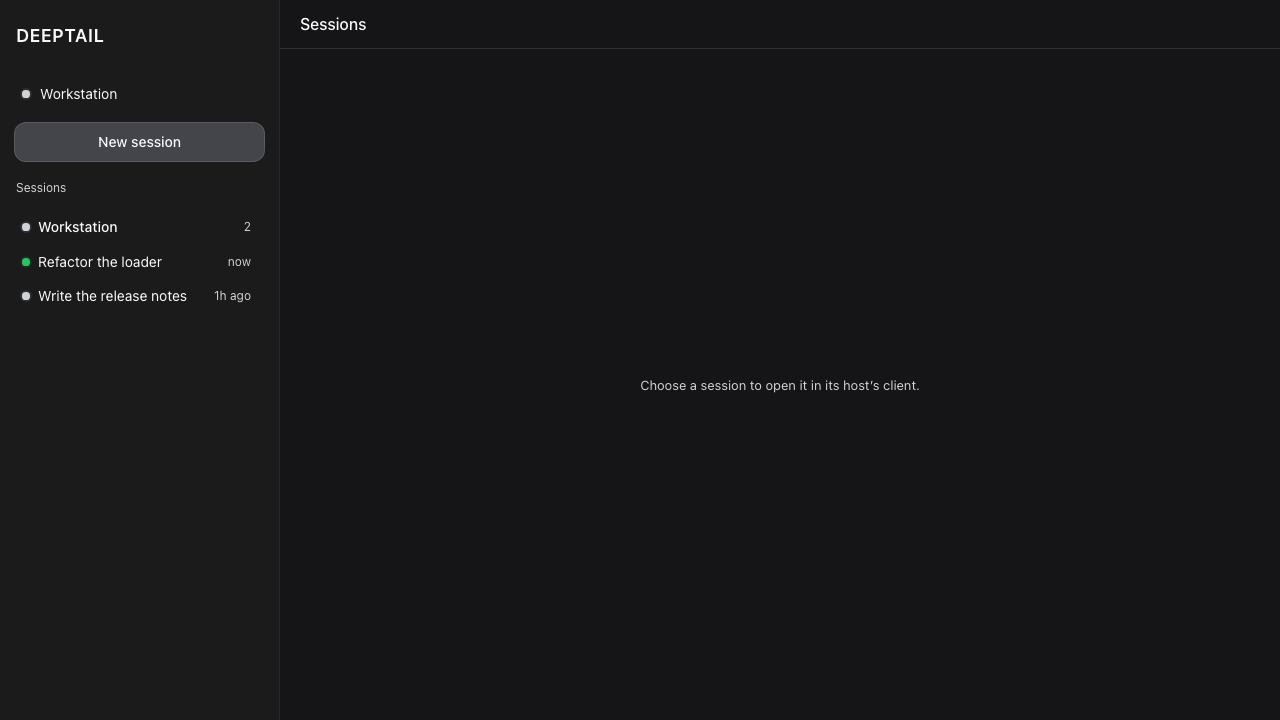 |
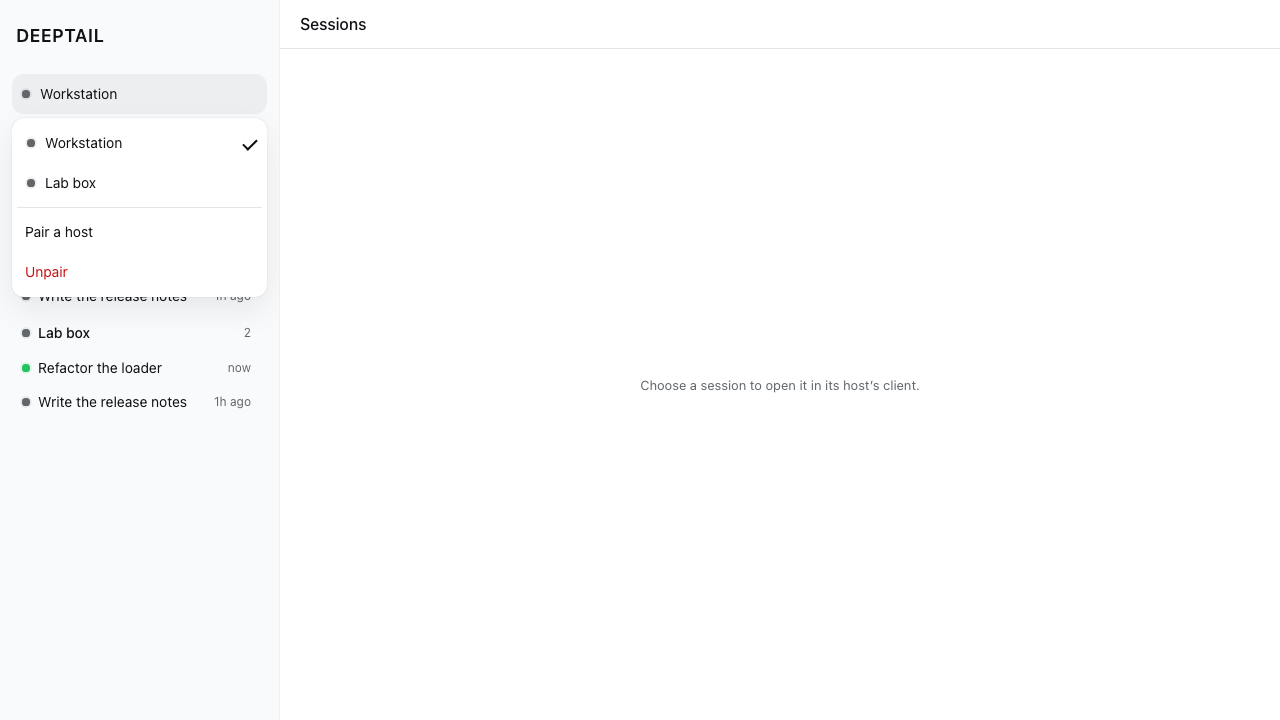
| Host switcher — selection is a trailing check, never a fill | The harness dark palette |
 |
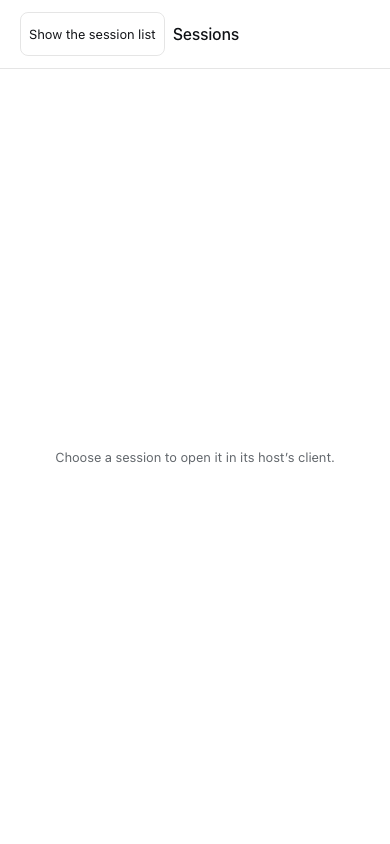 |
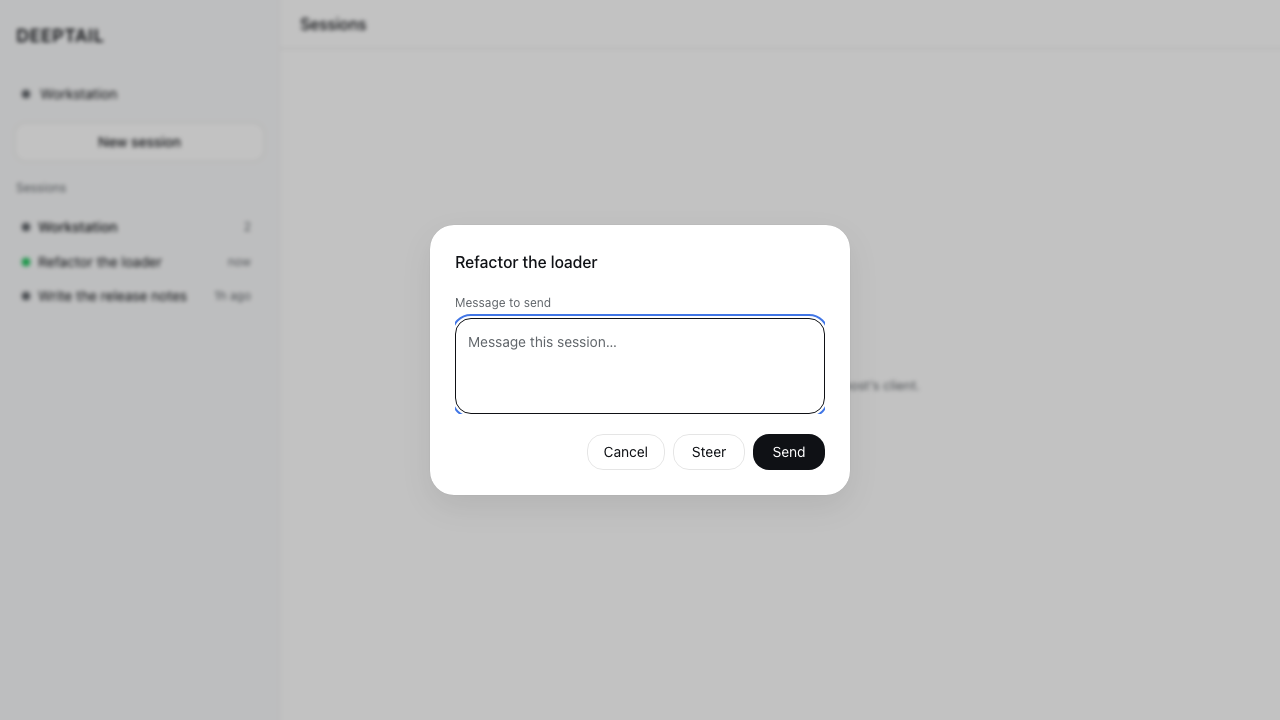
| Message or steer a session | 390×844, sidebar as a drawer |
 |
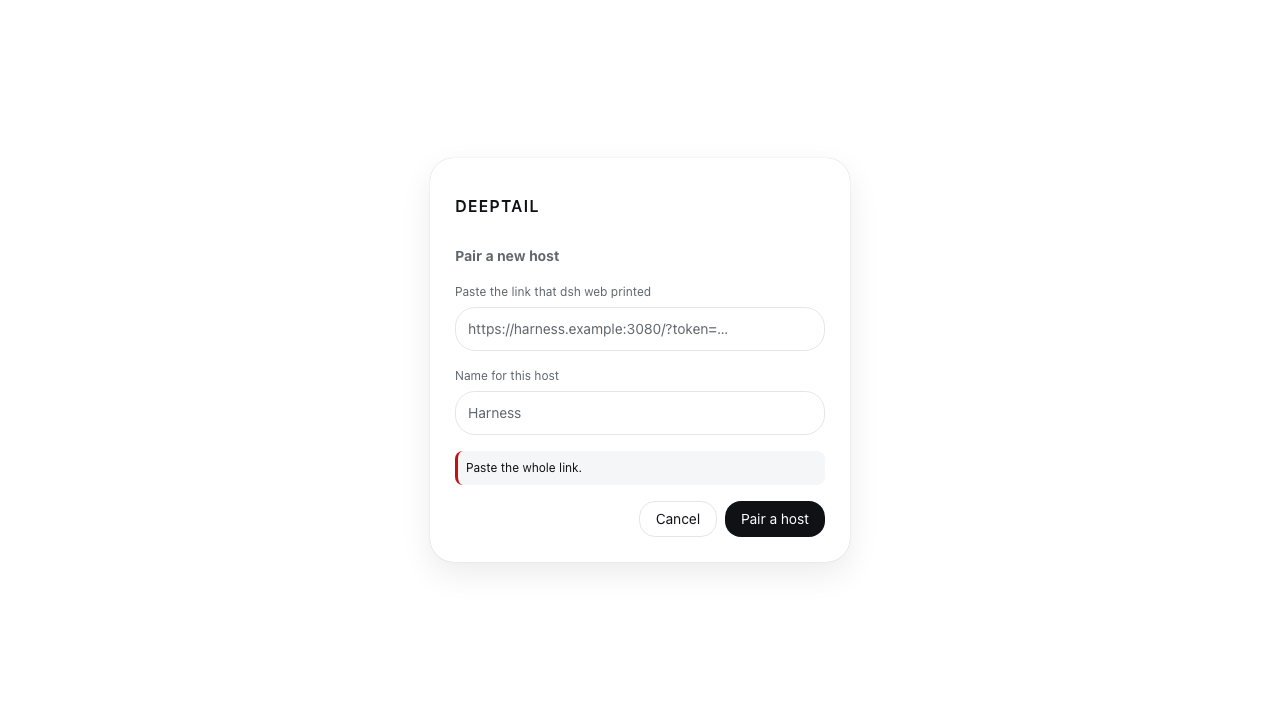 |
| One host down, the rest still listed, Retry on the row that failed | The refusal names what to fix, below the field it is about |
 |
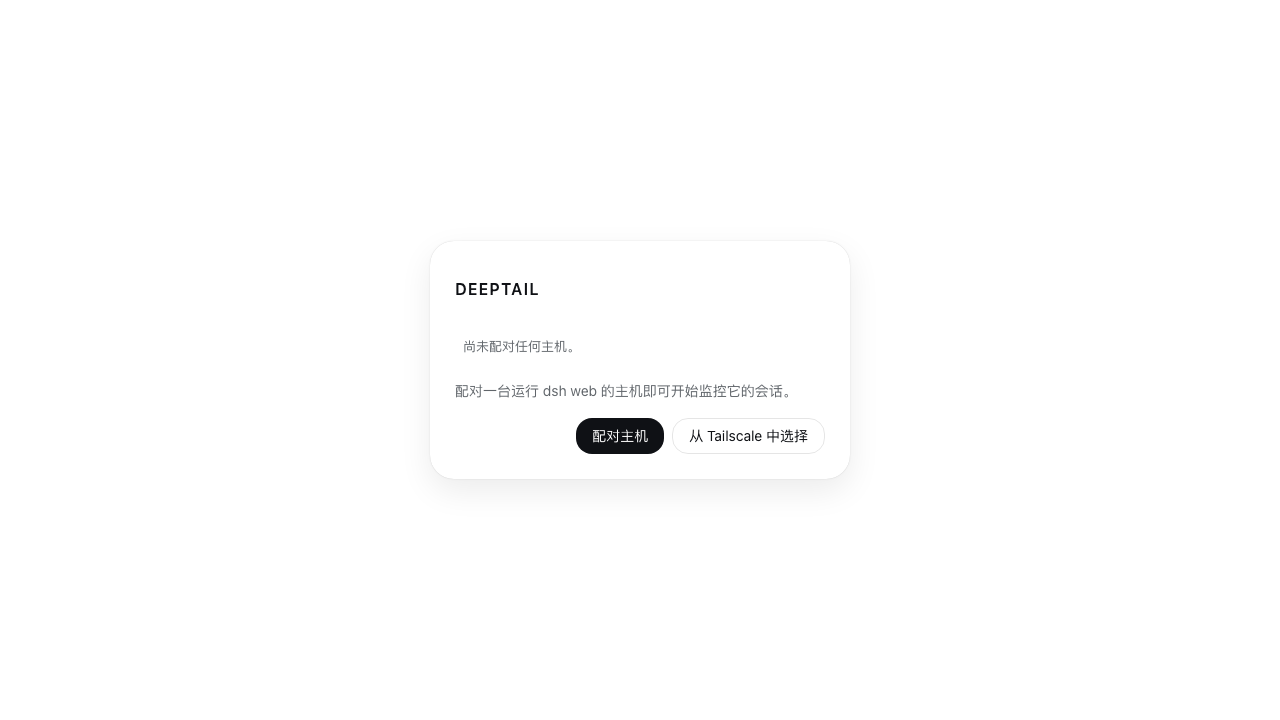 |
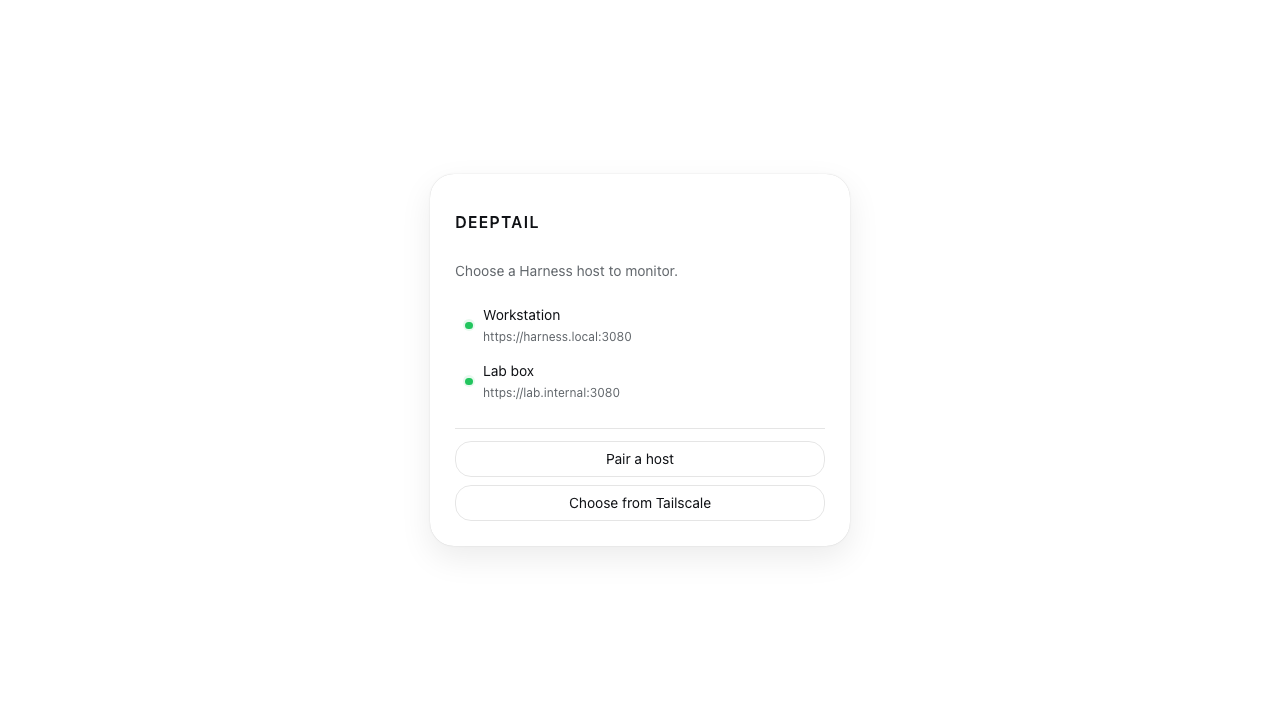
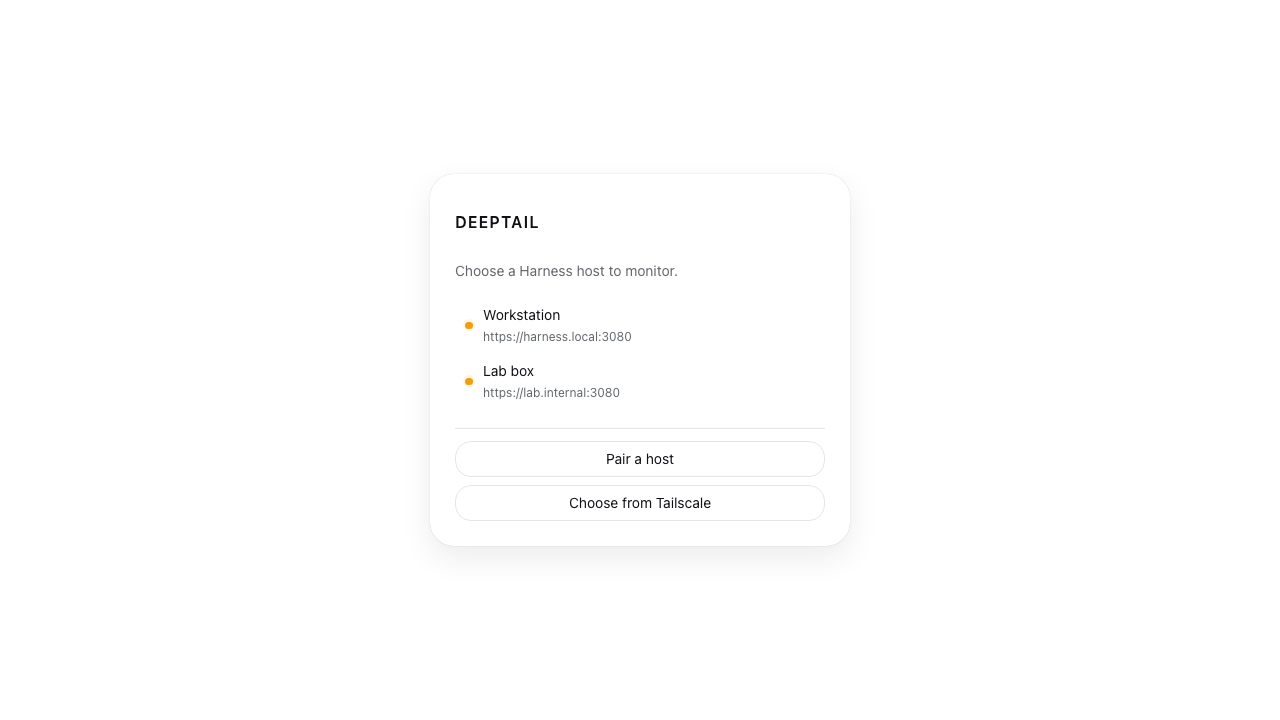
| Paired hosts, before a shell exists | The empty picker in Chinese — every string comes from the dictionary |
 |
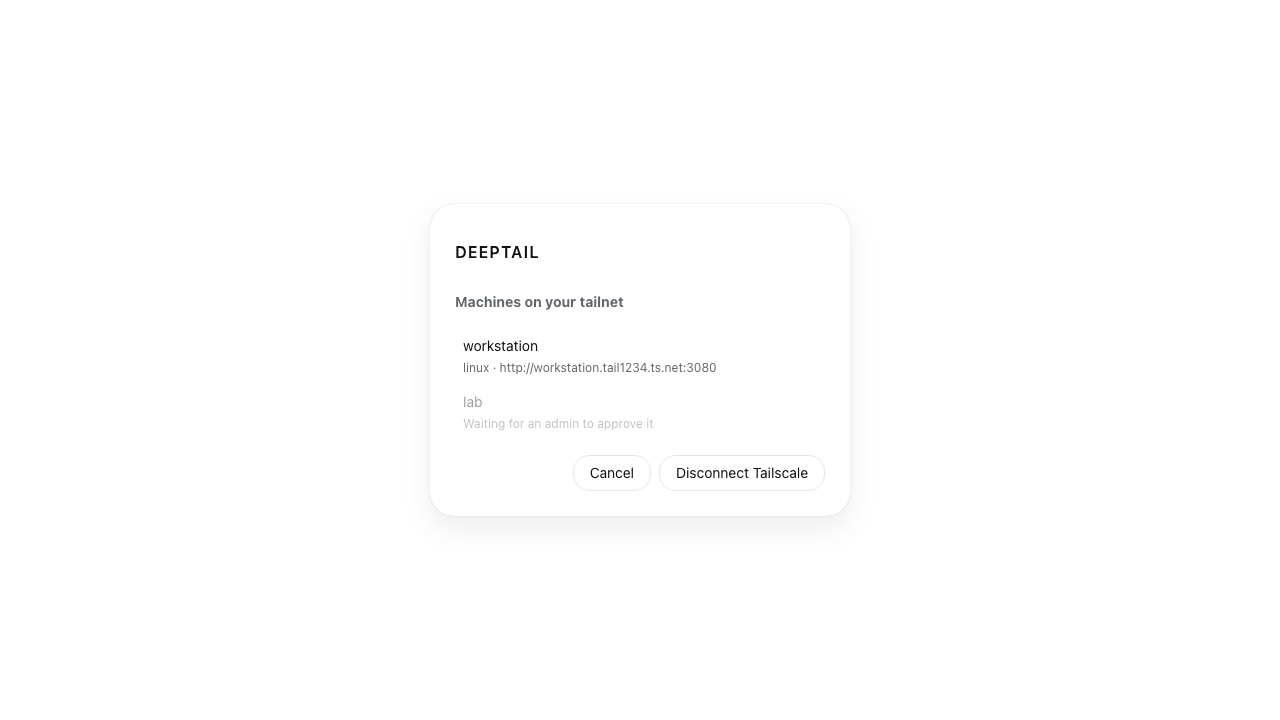 |
| Either credential Tailscale issues, and an optional tailnet | Your machines, with the one awaiting approval dimmed rather than hidden |
 |
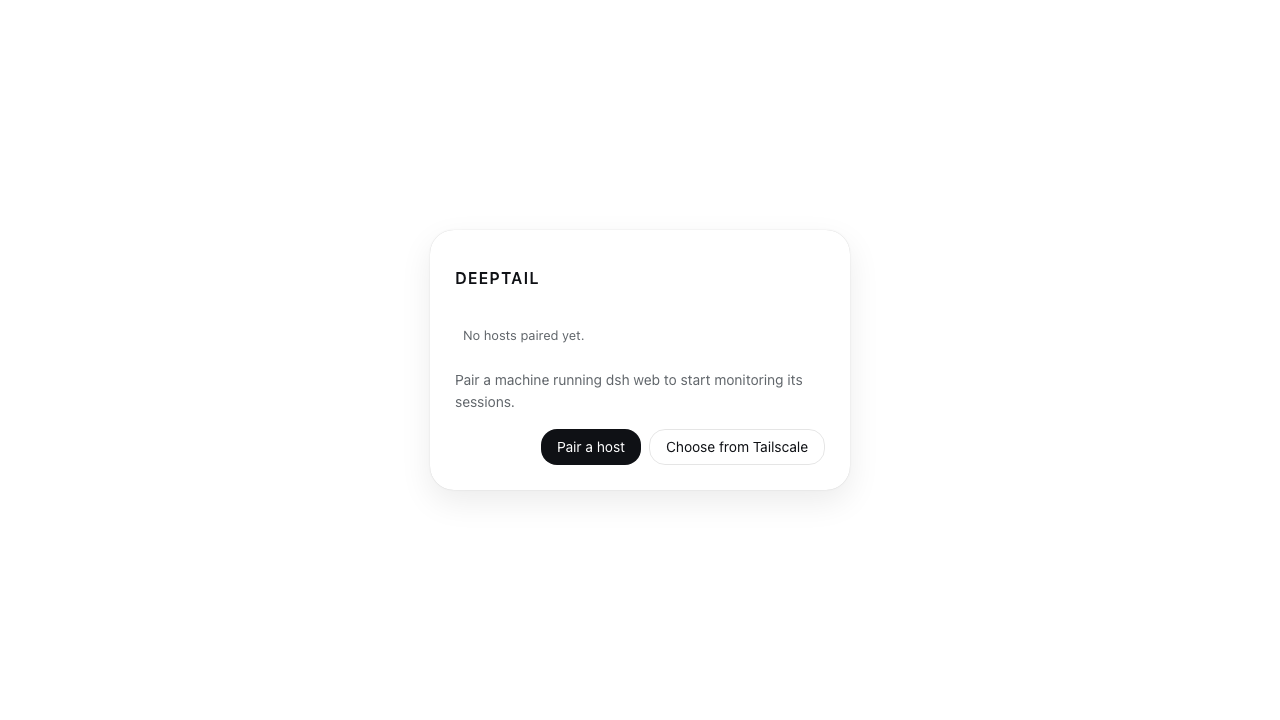 |
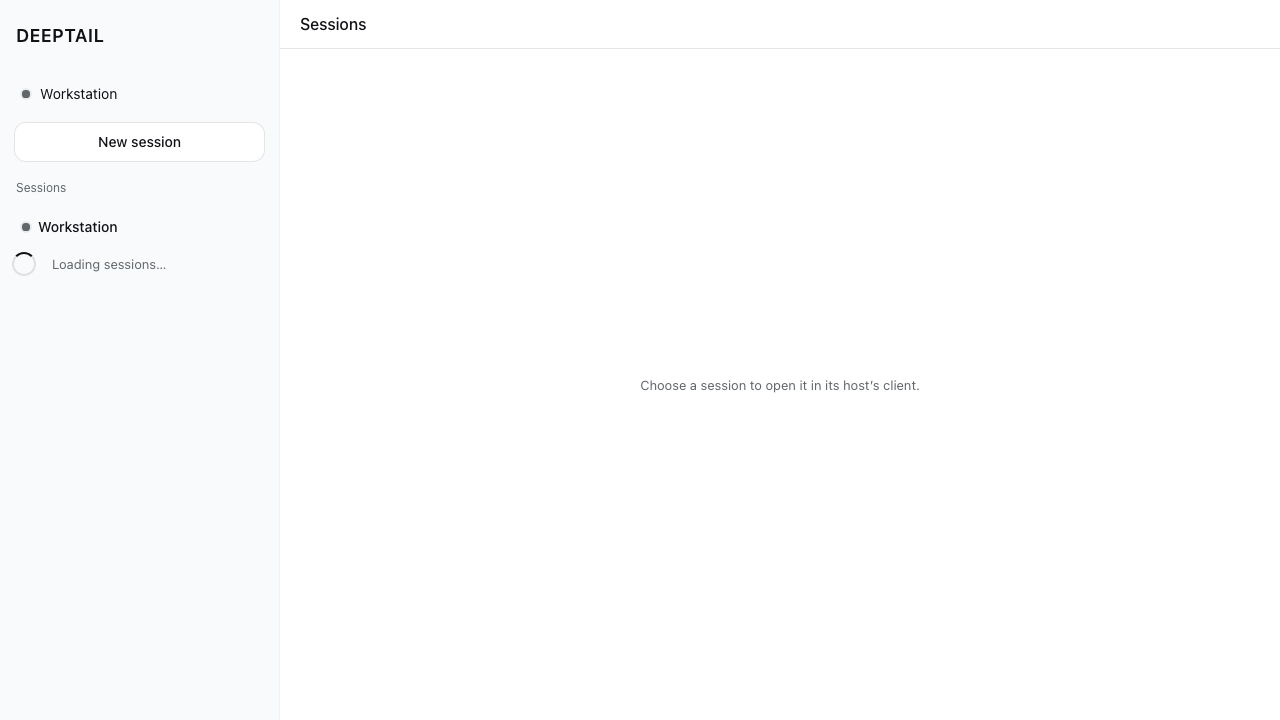
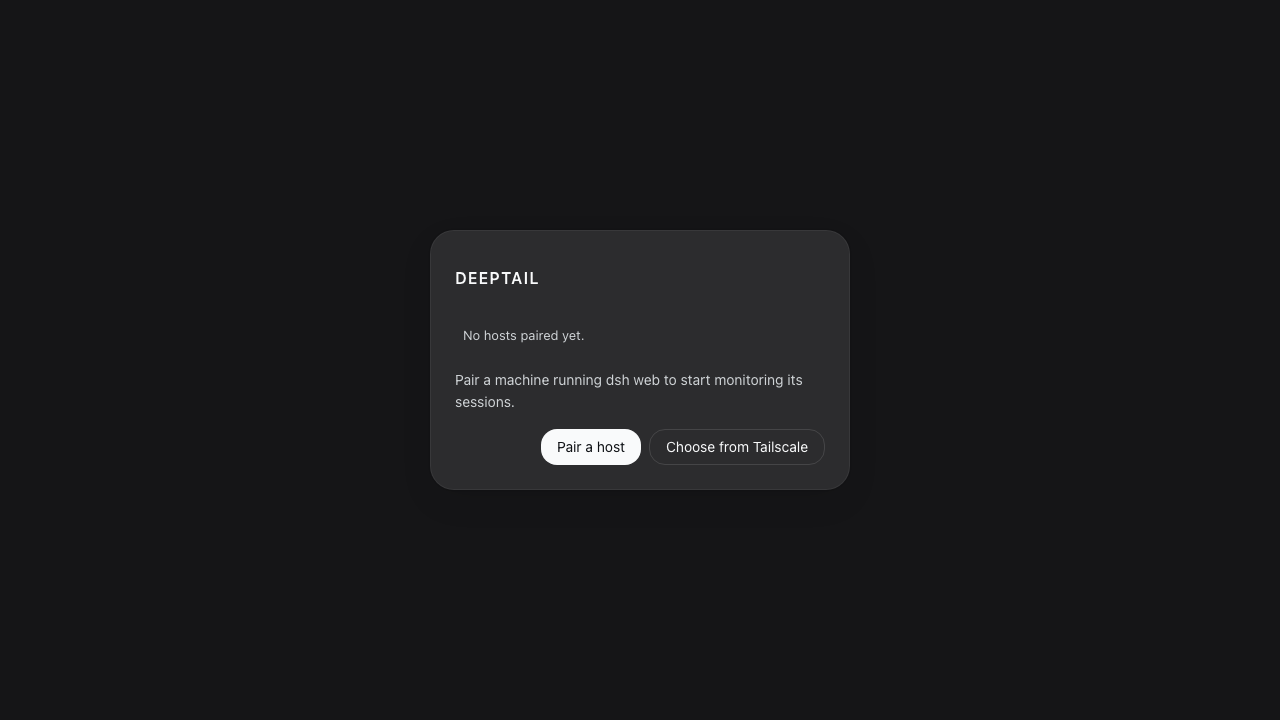
| Before the first roster read settles | Nothing paired: pair a host, or choose one from Tailscale |
 |
 |
| Nothing paired, in the dark palette | Paired hosts whose device tokens the harness no longer accepts |
Every state is built and screenshotted: loading, empty-after-settled, error,
partial failure (one host down, the rest still listed), unauthorized, and
offline, and both tailnet screens. apps/deeptail/tests/screenshots/ holds all
22, and each is written by the case that asserts the state, so none can drift
from the code.
Layout
apps/deeptail/
  src/            shell, connection menu, roster, dialogs, carrier, stream client
  src-tauri/      the entire network and credential surface, Tailscale included
packages/host-fleet/   Cordis plugin: sessions_* orchestration tools
profile/               the dsh profile DeepTail installs on a host
Credentials
One device token per host in the platform's own store. The all-in-one keyring
crate is desktop-only in its default feature, so this uses keyring-core with
one native store per target — which is what makes iOS and Android work:
apple-native-keyring-store, android-native-keyring-store (Keystore +
SharedPreferences), windows-native-keyring-store,
dbus-secret-service-keyring-store.
Pairing spends the launch token dsh web already prints. Plaintext pairing is
refused off loopback.
Harness seams
Reading a conversation needs the harness client, and that client cannot boot until three changes land upstream. The control plane does not depend on them.
| Seam | Why |
|---|---|
A socket factory on ClientTransportHooks |
remoteStreamUrl() derives the mux authority from location.origin, and a secure-context page cannot open ws:// |
collectIndexInjections() over an authenticated /api route |
the boot table is reachable only as injected HTML |
Promote applyIndexInjections out of packages/experimental/ |
a non-served shell needs it, and that package is not published |
Development
bun install
bun run validate          # biome, oxlint, styles gate, typecheck, tests, knip, clippy, cargo test, browser, axe
bun run tauri dev         # desktop
bun run tauri android dev # Android Studio, JAVA_HOME, ANDROID_HOME, NDK_HOME
bun run tauri ios dev     # macOS + Xcode + CocoaPods only
Browser tests drive the real built bundle in Chromium and substitute only the
Tauri IPC boundary, which no browser provides. They assert on rendered text and
roles and write every screenshot above. The scripted IPC covers the mux socket
as well as unary calls, so the live roster — a row arriving over $events, a
removal, a status flip, a dropped stream — is exercised rather than assumed.
Two suites read the rendered page rather than the source. a11y.browser.spec.ts
runs axe over wcag2a, wcag2aa, wcag21a, wcag21aa, wcag22aa and
best-practice, and treats incomplete as a violation, so a rule axe could not
settle is a failure rather than a pass. structure.ts covers what no rule engine
reports: a duplicate id, an interactive element inside another, a skipped heading
level, an ARIA reference pointing at nothing, an item outside its list, a
document that scrolls sideways, text clipped by its own box, a pane that scrolls
inside a pane that also scrolls, and a target under the floor for its pointer —
24 CSS px on any pointer per WCAG 2.2 SC 2.5.8, and 44 on a finger, which is
what Apple's Human Interface Guidelines and SC 2.5.5 ask. The geometry half
lives in structure-layout.ts; both are shipped into the page as their own
source text, so nothing they measure against can be left behind.
The suites split the same way. structure.browser.spec.ts walks the surfaces
and asserts each is clean; structure-geometry.browser.spec.ts measures what a
finger reaches and, because a check that never reports is indistinguishable from
one that cannot, makes the shell scroll inside itself and asserts the pane rule
names it. The 44px floor is only measured on a page opened with hasTouch:
pointer: coarse does not hold on a narrow desktop window, so measuring one
against it would test a pairing that does not exist.
Every dependency is held at the newest version this workspace can install.
check:outdated reads bun outdated --filter "*" — the package manager's own
report, which already knows about ranges and workspaces — rather than asking
the registry itself, and refuses any pin behind a published version. Nothing
withholds a release from resolution: bunfig.toml sets no release hold, and
tests/stack.spec.ts refuses one, so a pin behind is a pin to move rather than
a policy to explain. The floors in tests/stack.spec.ts are held equal to the
pins, so a downgrade fails there and an upgrade has to be written down.
Playwright resolves the Chromium it installed.
Pipeline
Two checks decide a merge, and branch protection requires both.
gate (.github/workflows/ci.yml) runs the repository's own gate scripts
unmodified across four jobs — static, types-and-tests, browser and rust
— and a fifth, gate, that waits on all four and exits non-zero unless every
one reported green. A job outside that aggregate would run, report, and block
nothing, so aggregationViolations in scripts/pipeline-guard-rules.ts refuses
one. Every action is pinned to a full commit sha, every job is bounded by a
timeout, every checkout drops its token, and every install is frozen to the
lockfile.
pipeline-guard (scripts/pipeline-guard.ts) reads the workflow definitions,
the manifest and the code-owner list the way a reviewer would, and fails closed:
a definition it cannot read is a violation, never an absence of one. The gates
that decide ship-worthiness are pinned by name in MERGE_GATES, held to the
same list by the validate chain and by ci.yml, so dropping one turns this
check red on the same commit that drops it. tests/pipeline-guard.spec.ts
drives every rule against a definition carrying the cheat, then drives all of
them at once against the pipeline this repository actually ships.
mutation (.github/workflows/mutation.yml) is an audit on a clock rather than
a merge decision. Five Stryker scopes cover every source file the repository
ships — scripts/, apps/deeptail/src/ and packages/host-fleet/src/ — each
breaking below a score of 99. tests/mutation-config.spec.ts reads the scopes
against the tree file by file, so a file inside no scope is named rather than
answered for by a sibling, and refuses the four edits that move a score without
touching product code: a lowered threshold, a narrowed mutate, a file left
outside every scope, and the in-place disable comment.
Toolchain
TypeScript 7.0.2 · Bun 1.4.2 · Node 24 LTS · Tauri 2.11 · Rust edition 2024 · Vite 8 · Playwright 1.63.0.
tests/stack.spec.ts reads the versions on that line back against the
manifests, so a toolchain line that says something the repository does not
install is a failure rather than a paragraph nobody re-read.
License
MIT
Operate deliberately
Install and manage
Prerequisites and target Profile
Target: Desktop Profile, Ios Profile, Android Profile
Delivery: External App — https://github.com/d4551/DeepTail。
Compatibility and access
Requires DeepSeek Harness hosts; session reading has upstream seams: Not declared in supplied evidence。
Review compatibility evidence ↗
Risk facts
Uses per-host device tokens and optional Tailscale credentials
Evidence ↗Connects to paired Harness hosts and can query the Tailscale API
Evidence ↗Evidence and editorial reviewManifest, Bundle patch, distribution and freshness
Immutable evidence
Review status and source activity
This is an application source repository, not a Harness plugin bundle or reusable Skill. Review its source and build instructions before using it with credentials or production hosts.
AI reviewed Sep 16, 2026, 2:15 PM UTC。GitHub facts last checked Sep 16, 2026, 2:15 PM UTC。
No material source change has been recorded since this evidence baseline.