At a glance
What it does
A DeepSeek Harness plugin that lets an assistant operate an isolated hidden Playwright browser, with an experimental shared sidebar preview.
Deepseek Harness Profile
@deepseek-ai/dsh-agent, dsh-tools, dsh-system-prompt, and dsh-mcp-client: 0.1.5-rc.2
Evidence-verified
Checked Sep 16, 2026, 2:19 PM UTC
Code-evidenced contributions
What it adds to DSH
An experimental DSH right-sidebar card that previews and shares interaction with the active hidden browser.
Mechanism evidence ↗Before you choose it
Install this bundle into the Desktop profile that actually runs DSH. It adds background browser tools for navigation, page reading, clicking, typing, tab management, JavaScript evaluation, and screenshots. Its experimental Browser sidebar card lets you inspect and directly interact with the same browser while the assistant works.
Best for
DeepSeek Harness Desktop users who want an assistant to automate web tasks without manually opening Chrome, and who can use the matching DSH CLI and profile.
Common tasks
- Ask an assistant to open a URL, read its title, and capture a screenshot.
- Keep separate browser and cookie state for different active agents.
- Inspect the live browser preview or take over clicks, typing, scrolling, and tab navigation from the DSH sidebar.
Permissions and data
The plugin controls a hidden browser on behalf of an assistant and exposes a shared interactive preview.
Permissions- Browser navigation, page reading, clicks, text input, tab management, JavaScript evaluation, and screenshots.
- Uses DSH's existing tool-authorization flow; it does not provide an API key or bypass authorization.
- Each active agent receives an isolated browser and Cookie state that persists across turns.
- State is cleaned on unload and does not persist through host restart or session recovery.
- Websites opened by the assistant or user.
- Playwright and Playwright MCP components.
- No API key is supplied by the plugin.
- Log in directly in the browser; do not send passwords in chat.
Limitations
- The sidebar is experimental and full Desktop 2.0.10 operation was not verified.
- Only Windows is listed as tested; other operating systems are unverified.
- Third-party login and CAPTCHA compatibility are outside the verified scope.
- File upload, drag and drop, system passkeys, search, and download management are not supported.
- The npm package is private; the README directs users to a prebuilt Release package or a source build.
What DSHub checked
- The supplied README reports integration coverage for page operations, cookie isolation, screenshots, preview UI, and unload cleanup.
- The immutable source and Cordis bundle structure were verified by supplied checks.
What DSHub did not check
- This curation did not install or run the plugin.
- Full Desktop 2.0.10 behavior, autonomous model execution, and third-party login/CAPTCHA behavior were not verified.
Pinned install
Install DSH Background Browser
This plugin bundle does not have a DSH Plugin install action. Use its source documentation for the delivery method.
Maintainer source
Project README
DSH Background Browser · 后台浏览器插件
dsh-plugin-background-browser · GitHub 仓库
让 DeepSeek Harness 助手直接操作隐藏的浏览器,无需手动打开 Chrome。项目采用 DSH 的 Cordis 插件机制,不是 DeepSeek API 客户端。
当前浏览器插件版本:0.5.0 · 目标宿主:DSH 0.1.5-rc.2。
功能与当前状态
- 后台网页操作:导航、读取页面、点击、输入、标签页管理、JavaScript 求值和截图,复用 Playwright MCP 工具。
- 会话隔离:每个活动 agent 独立浏览器和 Cookie,跨轮次保留状态,卸载时清理。
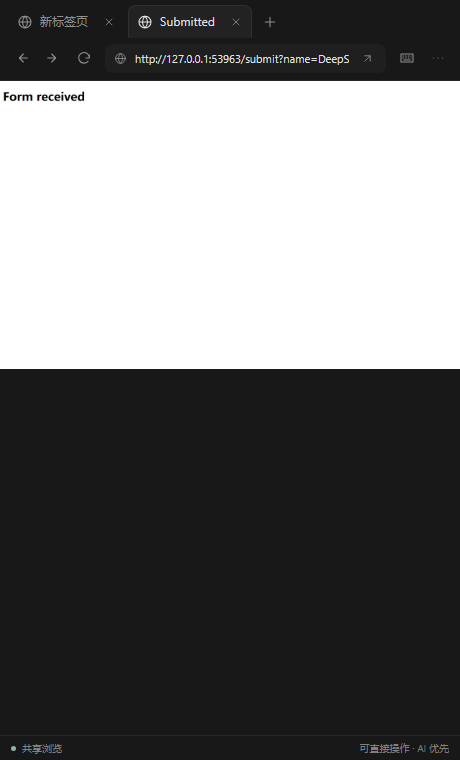
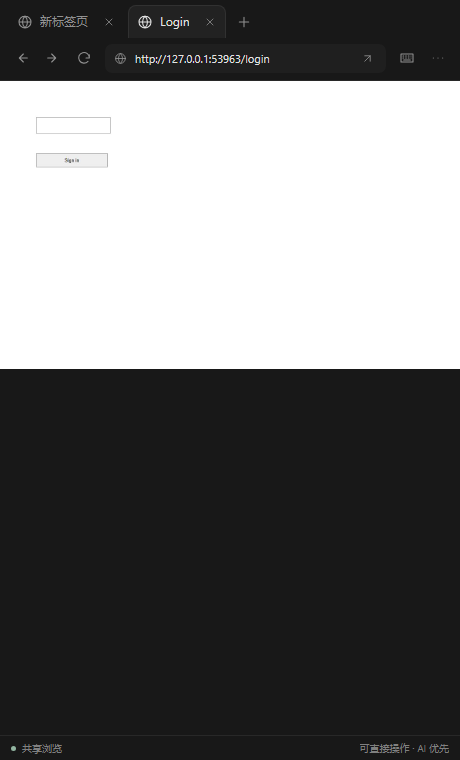
- 侧栏交互(实验性):在 DSH 原生右侧栏注册「浏览器」卡片,约每 750ms 刷新当前网页截图;支持直接点击、输入、滚动和标签页管理;提供地址栏、后退、前进与刷新。
- 桌面运行兼容处理:MCP 子进程显式启用 Electron-as-node,并使用宿主 agent 作用域避免工具撞名。
验证状态: 侧栏交互与导航已通过真实浏览器组件集成测试;完整 Desktop 2.0.10 运行流程仍待实机验证。
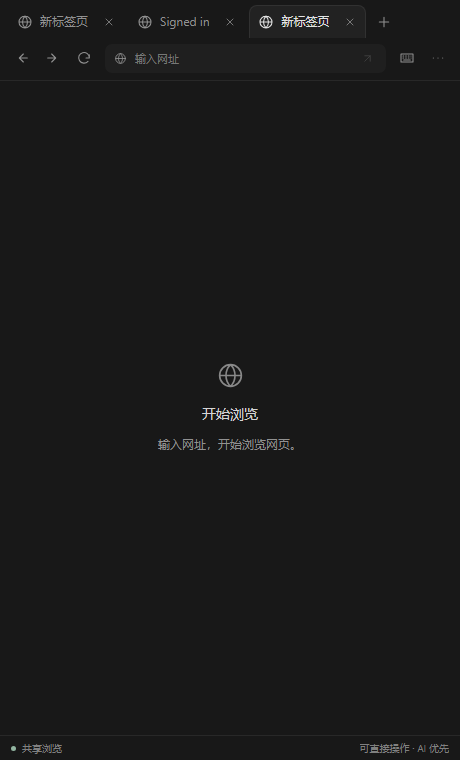
界面截图
以下为实际客户端组件在本地测试环境中的截图,不是完整桌面客户端截图。
环境要求
| 项目 | 要求 |
|---|---|
| DSH | 0.1.5-rc.2,依赖锁定到该版本 |
| Node.js | 22.19+(22.x)或 24+ |
| 浏览器 | Playwright 配套 Chromium Headless Shell |
| 已测试平台 | Windows;其他系统尚未验证 |
项目 npm scripts 优先使用本地 Node 22.23.2;直接运行 dsh 时仍需使用兼容的宿主运行环境。
安装
从 GitHub Release 下载预构建安装包,或按下方步骤自行构建。安装到桌面客户端实际使用的 profile,并使用相同的 DSH_HOME 和用户账户。不要另外创建一个 profile 后期待它出现在现有桌面端。
在能调用该桌面环境 DSH CLI 的 PowerShell 中:
$desktopProfile = '替换为当前档案名称'
$pluginPackage = (Resolve-Path ./dsh-plugin-background-browser-0.5.0.tgz).Path
dsh plugin --profile $desktopProfile add $pluginPackage
# 仅首次安装浏览器时需要;已经安装成功则跳过。
dsh plugin --profile $desktopProfile exec dsh-browser-install
安装或升级后完全退出并重开桌面客户端。旧版可直接覆盖安装,无需重复下载浏览器。若终端找不到 dsh,请使用桌面端配套 CLI,不要为此安装另一套不匹配的全局 DSH。
使用
向助手发送:
使用后台浏览器打开 https://example.com,读取页面标题并截图。
查看画面时,展开原生右侧栏,点击 +,在「开始」页选择「浏览器」。可直接点击网页输入框。可直接键盘输入;中文或密码可点击地址栏旁的键盘图标,展开输入面板后发送到网页当前焦点。
无需选择控制权,AI 与用户共享浏览器。排队时 AI 操作优先;已开始的单次操作执行完再切换。AI 改变页面后,基于旧画面的输入会提示重试。登录完成后在对话中告诉助手继续,不要把密码发到聊天里。
若只有「工作区文件」卡片,说明浏览器前端入口尚未出现在当前界面;后台工具成功并不代表前端已加载。先确认安装版本、当前 profile 和完整重启,再检查客户端加载日志。详细说明见 浏览器插件文档。
「更多选项」中可暂停预览、切换网页原始大小或全屏查看。地址栏可直接导航,支持 HTTP/HTTPS 网址;暂不提供搜索和下载管理。
从源码构建
npm ci
npm run check
npm run browser:install
npm run test:browser
npm run pack:browser
根目录生成可安装的 .tgz。本仓库不提交 node_modules、dist、浏览器缓存或安装包。源码目录本身不是已编译安装包。
| 命令 | 用途 |
|---|---|
npm run check |
类型检查、构建、Cordis 与包导出回归测试 |
npm run test:browser |
真实 rc.2 服务、MCP、隐藏浏览器及预览组件集成测试;无需 API key |
npm run pack:browser |
构建并打包浏览器插件 |
npm run pack:starter |
构建并打包插件开发示例 |
npm run dev |
仅持续编译 starter,不启动 DSH |
项目结构
packages/browser/           后台浏览器插件及侧栏客户端
packages/starter/           Cordis 插件开发示例
tests/                      生命周期、包导出及浏览器集成测试
docs/plugin-development.md  开发约定和 API 参考
CHANGELOG.md                版本变更
验证范围与限制
已验证首次提示词包含工具、多会话与子 agent 同名工具注册、页面操作、Cookie 隔离、截图、预览组件和卸载清理。客户端组件测试使用模拟槽位注册器;完整桌面应用、真实模型自主执行及第三方网站登录/验证码兼容性不在已验证范围内。已在本地登录页验证人工点击、中文密码输入、键盘选择、滚动、提交及与 AI 共享登录 Cookie。文件上传、拖拽和系统通行密钥暂不支持。
浏览器登录状态不会在宿主重启或会话恢复后恢复。插件不绕过 DSH 工具授权流程,也不提供 API key。
开发资料
提交问题时请附 DSH 和桌面端版本、插件版本、操作步骤及去除凭据的报错。文档和问题交流以中文为主。
许可证
项目采用 MIT 许可证。Playwright MCP、Playwright 和 DSH 等依赖保留各自许可证。源码仓库已公开,npm 包仍标记 private 以避免误发布;安装请使用 Release 中的预构建包。
Operate deliberately
Install and manage
Prerequisites and target Profile
Target: Deepseek Harness Profile
Delivery: Dsh Bundle Git — YuZtArt/dsh-plugin-background-browser#2849b0d364ee0ae5db74eb89a47cd8371d076b58。
Verify, update, and remove
Show lifecycle commands
dsh plugin --profile deepseek-harness listCompatibility and access
DSH 0.1.5 Rc.2; Node 22.19+ or 24+: @deepseek-ai/dsh-agent, dsh-tools, dsh-system-prompt, and dsh-mcp-client: 0.1.5-rc.2。
Review compatibility evidence ↗
Risk facts
Can navigate pages, read content, click, type, evaluate JavaScript, and take screenshots in an agent-specific browser session.
Evidence ↗Browser cookies are isolated per active agent and remain across turns, but are cleaned on unload and do not survive host restart or session recovery.
Evidence ↗Evidence and editorial reviewManifest, Bundle patch, distribution and freshness
Immutable evidence
Review status and source activity
Use the pinned source to inspect the bundle. Confirm your Desktop profile, DSH version, and platform before installation.
AI reviewed Sep 16, 2026, 2:20 PM UTC。GitHub facts last checked Sep 16, 2026, 2:20 PM UTC。
No material source change has been recorded since this evidence baseline.